SysEx
Utilities & Midifile
Players
Utilities & Midifile
Players

|
|
|
|
|
|
|
|
|
|



|
Below you will find links to numerous programs and utilities that can transmit SysEx data and Midifiles. Chances are excellent that one of these will work with your setup...
For complete details on how to load a Patchman Music Pro Patches soundbank into your MIDI synth, please go to our wonderful Format Info page here.
Matt
Patchman Music
 FOR WINDOWS
PC...
FOR WINDOWS
PC...
RECOMMENDED- MIDI-OX - A great utility that does lots of useful things with MIDI.
Dumpster - (Downloads a zipped file). This is a MIDI System Exclusive (sysex) data dump program for Windows 3.1. It is public domain and includes Visual Basic source. Installation instructions are in the help file DUMPSTER.HLP.
MIDIEX - For DOS PCs
SyxLibEd - For Windows 95/98/ME
Send SysEx - For Windows 3.1
Send SysEx - For Windows 95/98/NT
MIDI Data Filer - For DOS. Requires an MPU-compatible MIDI interface.
 FOR MAC OS X...
Here is a link to a nice resource for MIDI Utilities for the Mac.
QMidi - A very nice Midifile player that is compatible with OSX.
 FOR MAC OS 9.2.2 & Earlier...
Bulk Sysex Utility - Downloads a Stuffed (.sit) file. Does not work with G4 Macs. Does not support OMS. Handles dumps up to 128k. Directly supports serial ports on old serial port Macs (MIDI Manager not needed).
QMidi - A very nice Midifile player.
MIDIGraphy - A Standard Midifile player that reportedly works well with Midifiles with sysex in them.
PATCHMAN MUSIC HOME
 |
Be sure to check out the amazing Aerophone Academy Podcast co-hosted by Patchman Music's own Matt Traum and Alistair Parnell (iSax Academy) for in depth discussions and interviews on everything related to wind controllers! |



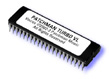 |
 Check out the INCREDIBLE PATCHMAN TURBO VL Upgrade Chip for the Yamaha VL70-m |

This page was last updated Wednesday, August 6, 2025
Copyright ©1996-2025 PATCHMAN MUSIC, LLC, All Rights Reserved
Purchase Terms and Conditions
All trademarks are property of their respective holders